New: budgets with a month-end forecast
A personal finance app without the chaos
Multi-currency expense tracker and budget app
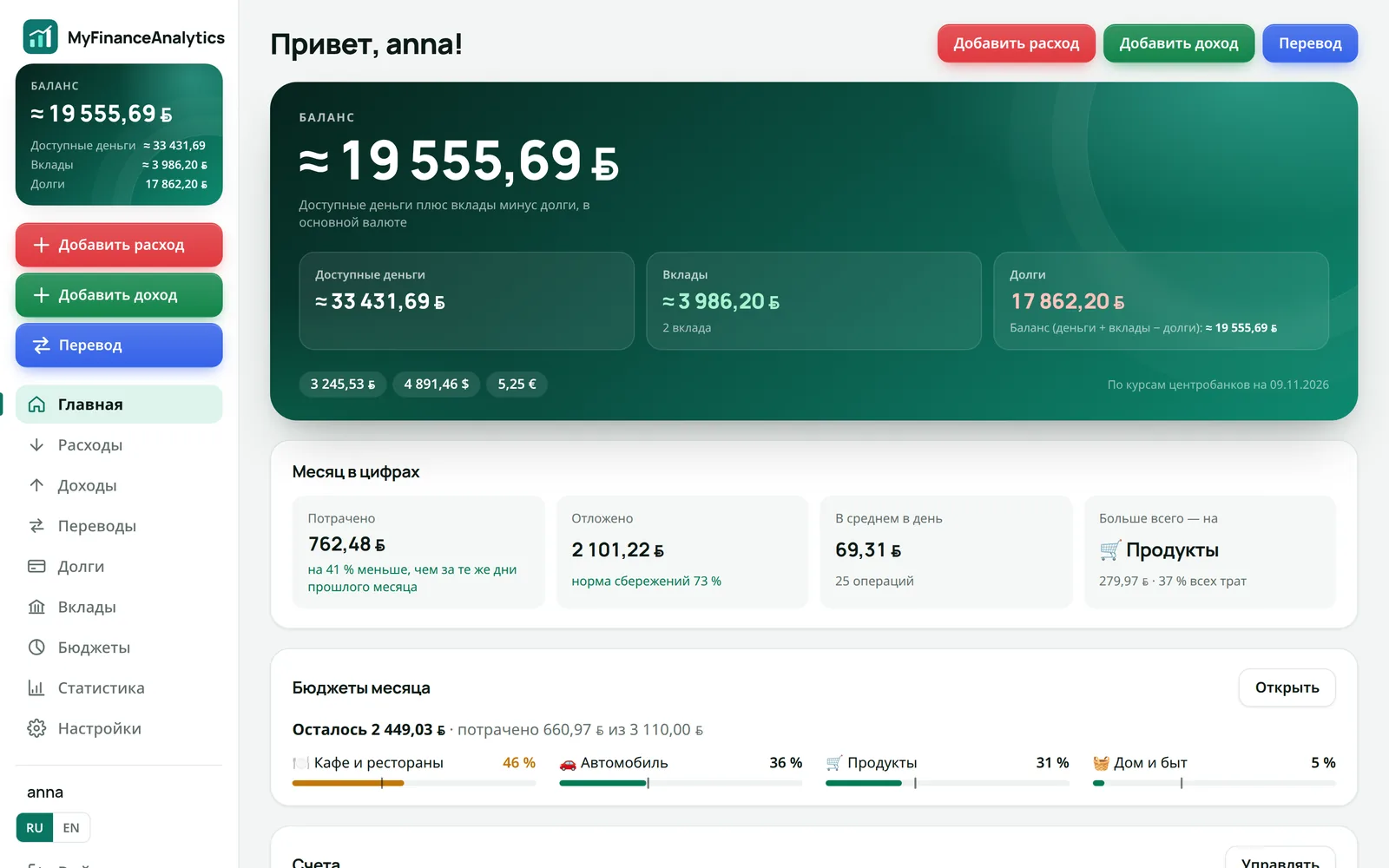
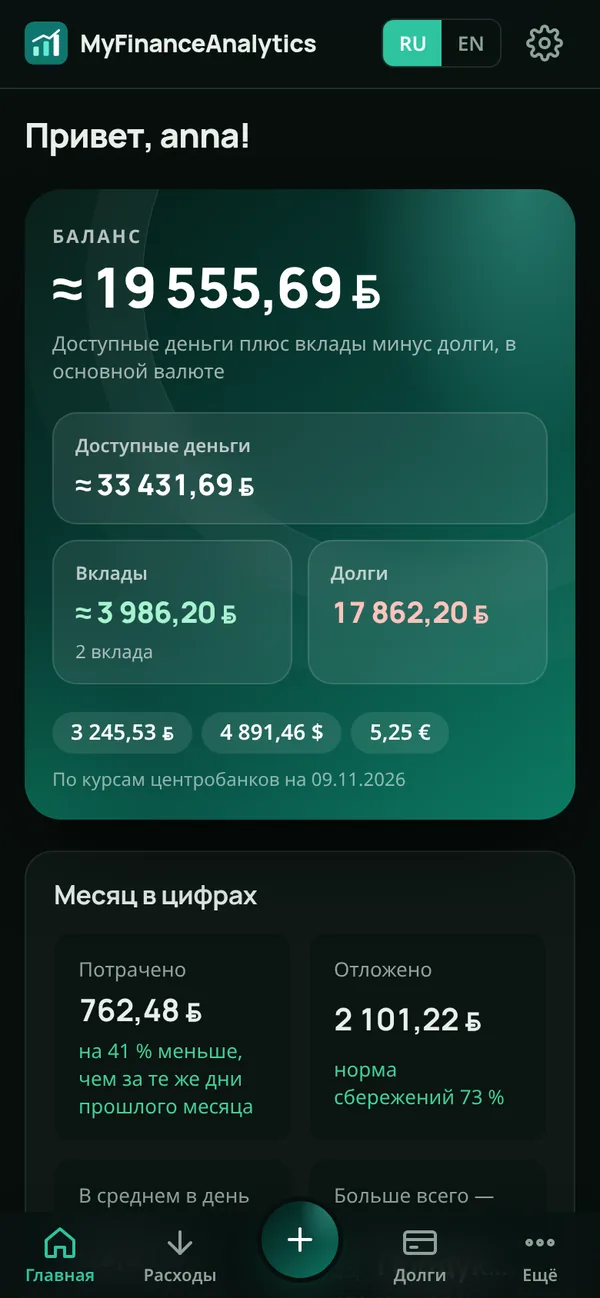
Track income, expenses and monthly budgets in one app. Cards, cash in multiple currencies, savings and debts add up to one balance, while clear statistics show where your money goes and how much you save.
Free · no bank connection · iPhone and desktop
Hi! I am Kopi and I count every cent
Rates and prices from official sources
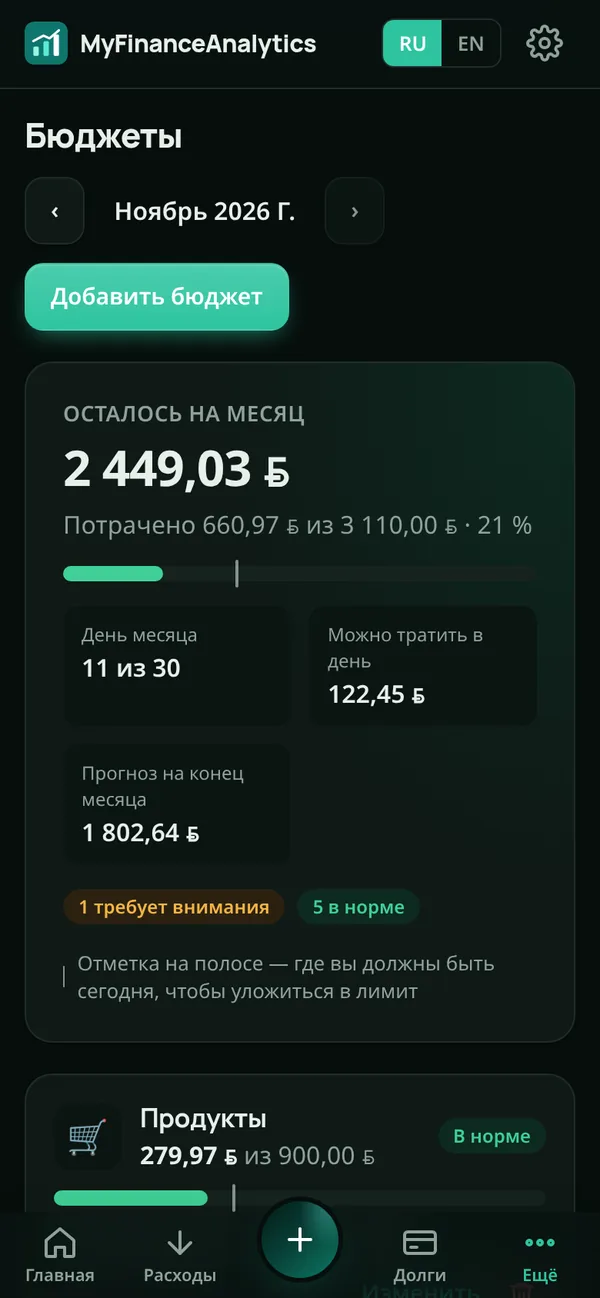
Budgets
Know in advance whether you will stay on budget
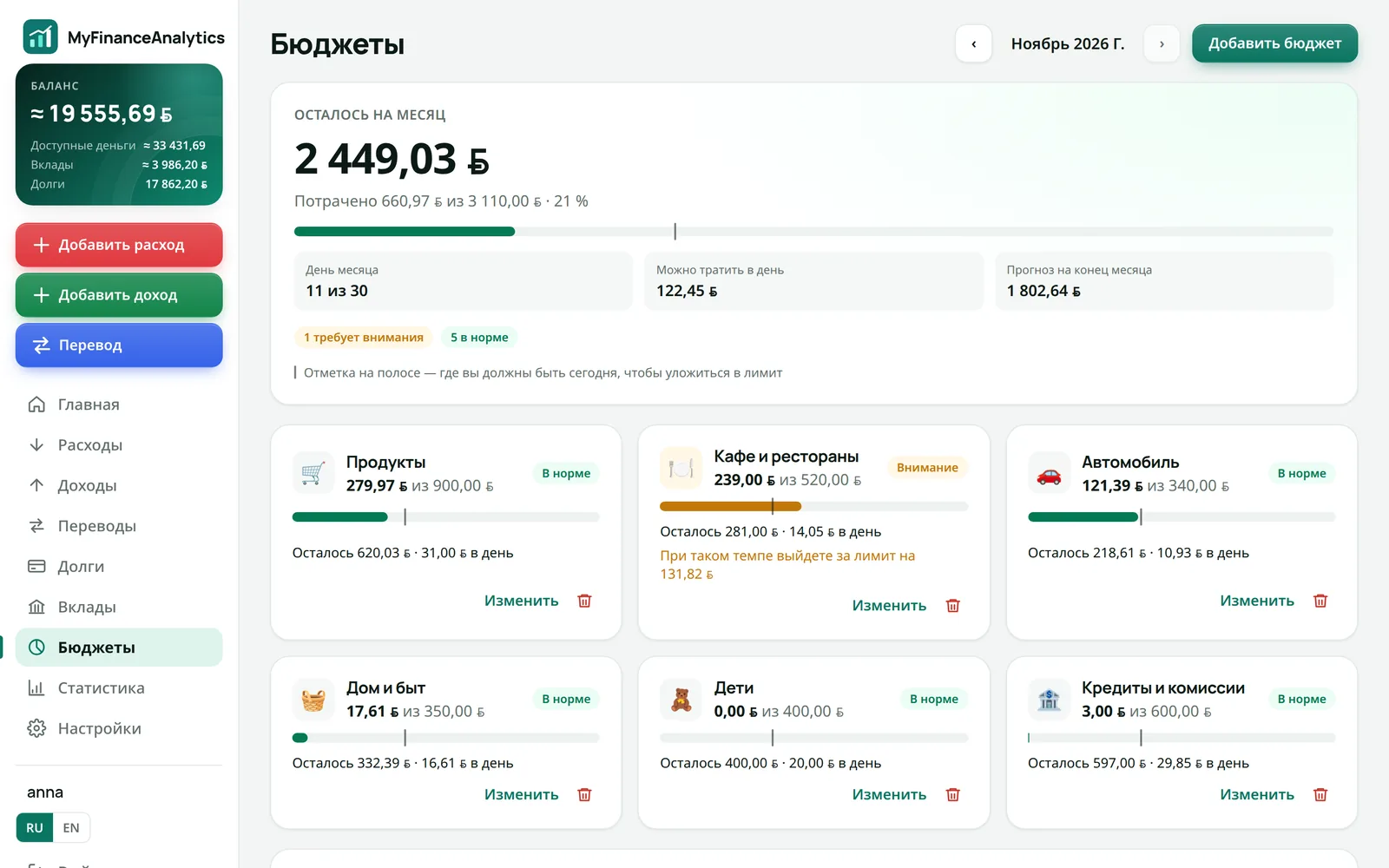
Set a limit per category and see what is left, how much you can spend per day and where the month will end at the current pace.
- A “where you should be today” mark on every bar
- On track, watch out and over budget statuses
- One-tap start with budgets based on last month
Quick entry
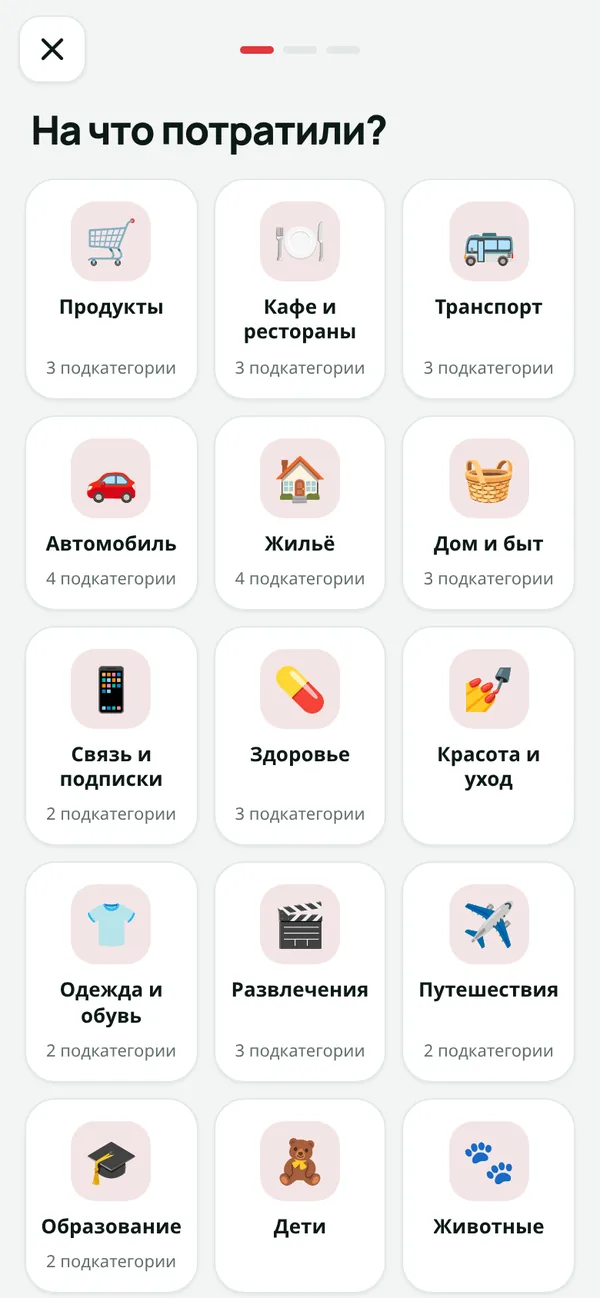
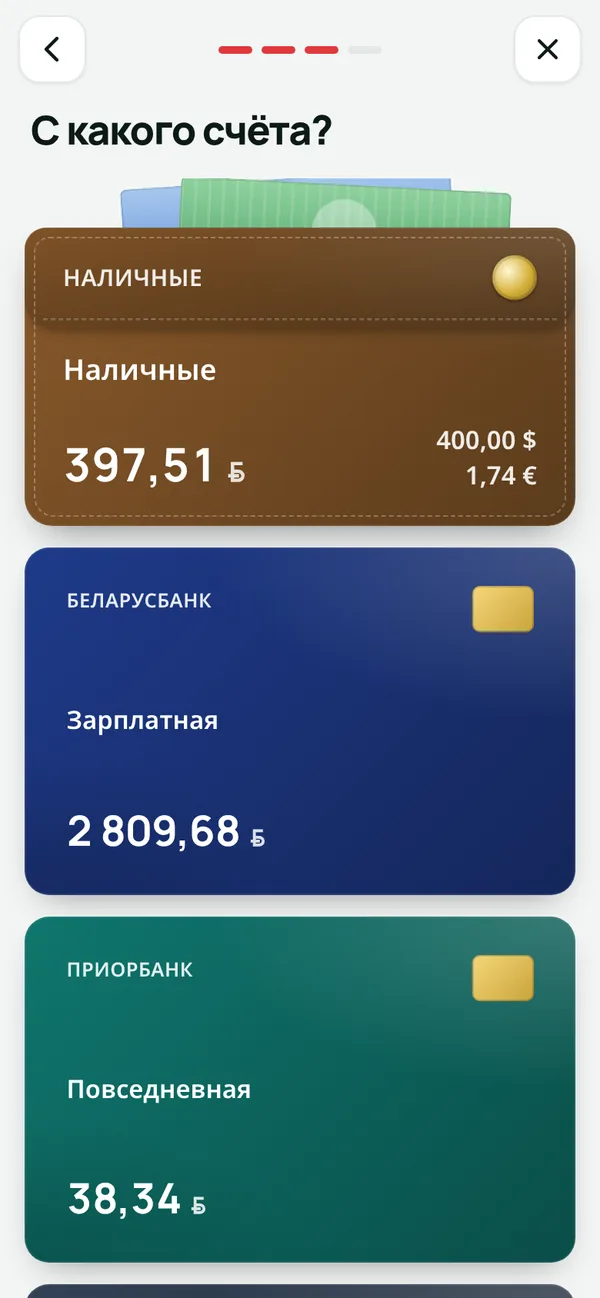
An expense in four taps
No long forms: category, subcategory, card and amount on a dedicated keypad. Recording a coffee is faster than paying for it.
- 1Category
- 2Card
- 3Amount
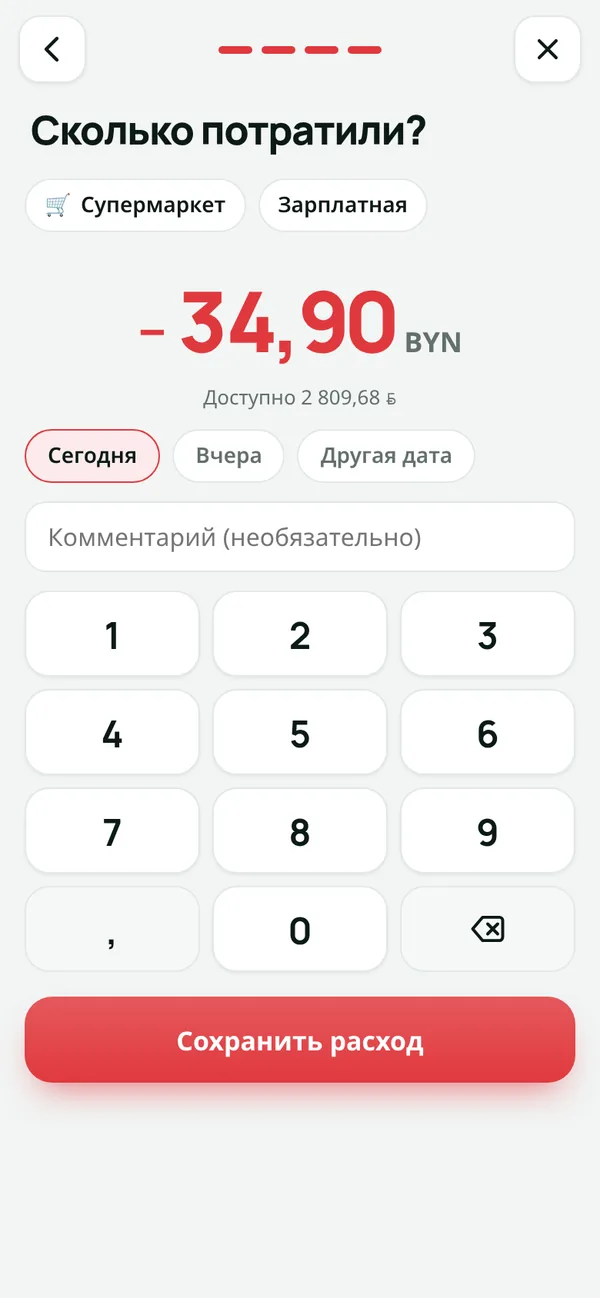
- Big tiles made for thumbs
- Accounts shown as real cards
- Today, yesterday or any date
Net worth
All your money in one number
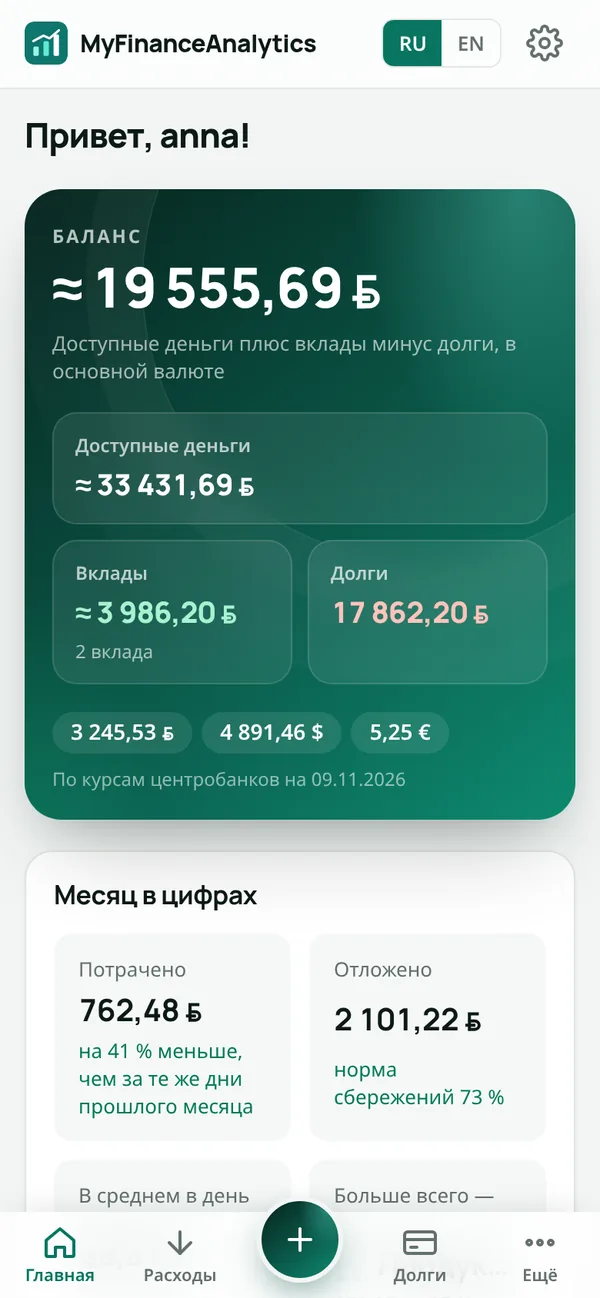
Cards, cash in three currencies, deposits, crypto and debts add up to one balance at official rates. See how much you really have.
- Balance = money + deposits − debts
- Credit cards with a limit and statement debt
- Central bank rates and crypto prices update automatically
Statistics
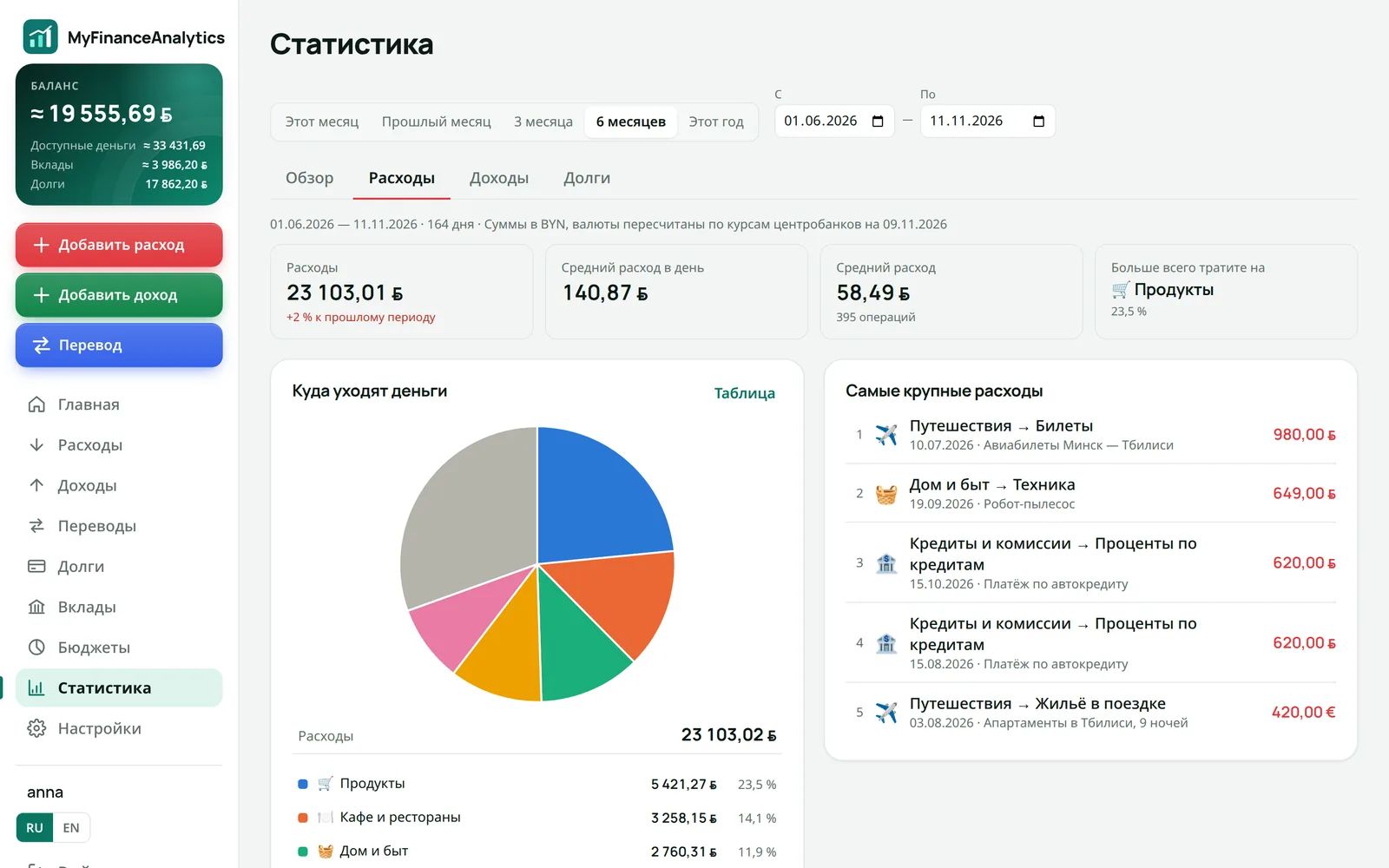
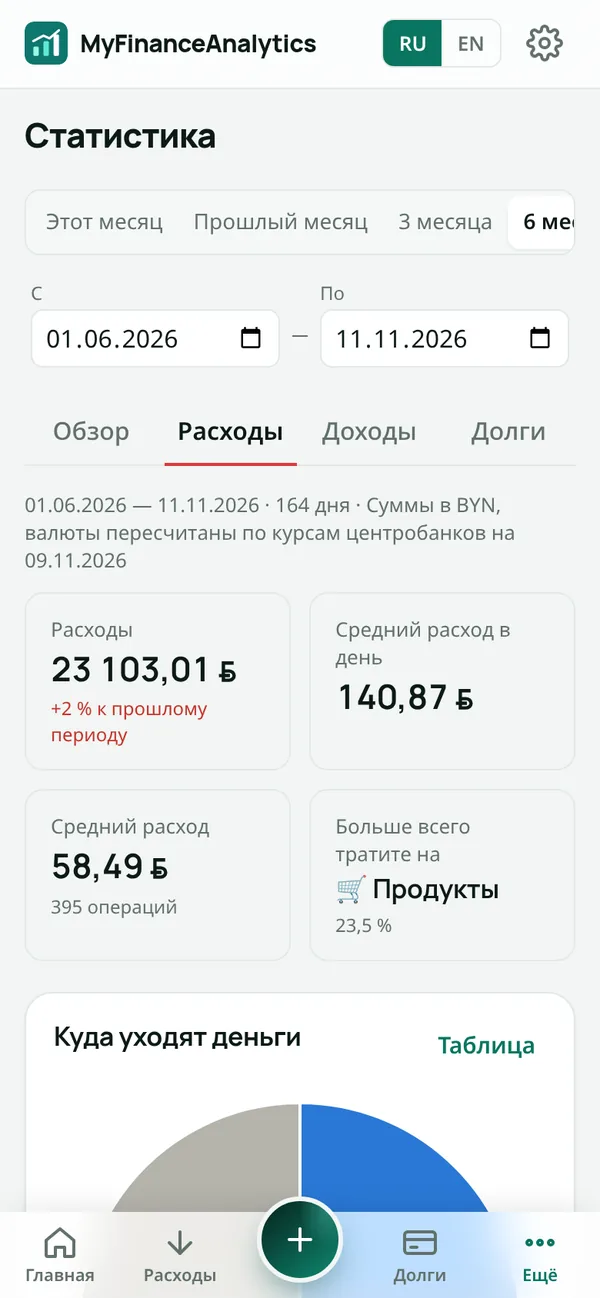
See where your money goes
Pie charts by category, income and expenses by month, the biggest spends and the key number: how much of your income you save.
- Any period in the calendar
- Savings rate
- How your debt changed over the year
Debts and deposits
Debts that melt before your eyes
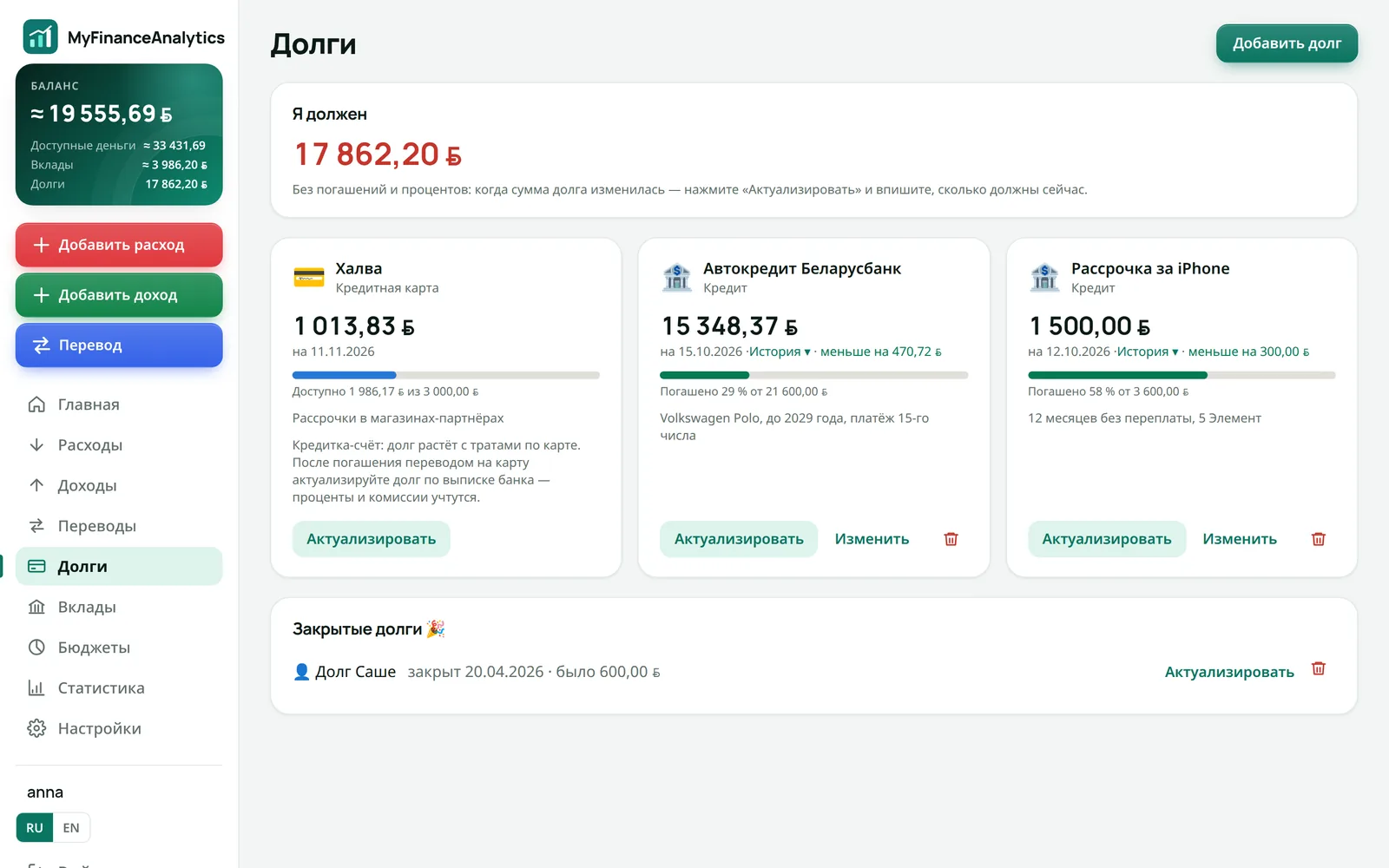
Loans, installments and credit cards with payoff progress. Deposits with capitalisation and interest that is recorded as income automatically.
- Payoff progress in percent
- Update the amount from your bank statement
- Deposit terms and days left
An expense tracker, budget planner and money manager in one app
Not a spreadsheet and not a banking app: one picture of all your money — where it is, where it goes and how much is left.
Income and expenses by category
Log spending in seconds: category tiles with subcategories, comment suggestions and monthly totals.
Cash in several currencies
Keep dollars, euros and local currency in one wallet — each with its own balance. New currencies are added automatically.
Cards and transfers
An ATM withdrawal or a card-to-card transfer is not an expense. Transfers never skew your statistics; fees go to expenses.
Debt and loan tracker
Loans, installments, credit cards and money you owe friends. See how much is paid off and how your debt shrinks.
Savings deposits
Capitalized or paid-out interest, fixed or withdrawable, term. Top-ups and withdrawals are transfers; interest counts as income.
Statistics and savings rate
Monthly charts, spending by category, biggest expenses and the key number — what share of your income you save.
Official exchange rates
Your total balance in one currency at rates from the ECB, NBP, CBR and NBRB. Rates on the home screen update automatically.
Crypto
A crypto wallet with BTC, ETH, USDT and other coins, valued at the current market price.
Works like an iPhone app
Add the site to your Home Screen and it opens like a regular app — no App Store needed. On desktop, use any browser.
Get started in three minutes
- 1
Sign up
Just a username and password. Base currency and language can be set later.
- 2
Add your money
Cash is already there. Add cards, deposits and debts with their current amounts.
- 3
Log your spending
Income, expense or transfer — with the “+” button. Balance and statistics update automatically.
Why MyFinanceAnalytics
Your data stays yours
No bank connection or card access required. Your financial data is never shared with ad networks or third parties.
An honest picture
Balance = money + deposits − debts. Transfers between your own accounts are neither income nor expense.
Built for multiple currencies
Salary in one currency, savings in dollars, a trip in euros — everything adds up to one total at official rates.
Frequently asked questions
Is this expense tracker free?
Yes. Core tracking — accounts, income, expenses, transfers, debts, deposits and balance — is free.
Do I need to connect my bank card?
No. You enter transactions yourself, so the app never gets access to your bank — and you always know where your money went.
Which currencies are supported?
US dollar, euro, Polish złoty, Belarusian ruble and Russian ruble, plus BTC, ETH, USDT, BNB, SOL, XRP and TON. Your total balance is converted at central bank rates.
How do I install the app on iPhone?
Open the site in Safari, tap Share and choose “Add to Home Screen”. The app appears next to your other apps and opens full screen.
Is a card-to-card transfer counted as an expense?
No. A transfer between your own accounts is a separate operation: it changes two balances but is not counted in income, expenses or statistics. Only the transfer fee is an expense.
How do I track a savings deposit and its interest?
Add the deposit with its terms: capitalized or paid-out interest, term, fixed or withdrawable. Top up and withdraw with transfers; when withdrawing, enter how much of it is interest — it is recorded as income.
What is a savings rate?
The share of income left after expenses: (income − expenses) ÷ income × 100%. With income of 2,000 and expenses of 1,500, your savings rate is 25%.
How does this budget app help me control spending?
Add your accounts and current balances, then log income, expenses and transfers. The app automatically shows spending by category, monthly budget progress and how much money remains.
Shall we? It is free
Free for early users
Get your money in order today
Signing up takes a minute. No card or bank needed.
Start for free